
Download eSnips – File Sharing, Web Storage, Cloud Storage, Secure File Transfer, Online Document Management
Overview
eSnips is a web-based storage application currently in testing, designed to simplify the process of uploading, organizing, and securely sharing digital files. With a maximum file size limit of 1 GB, the platform caters to users who frequently exchange large documents, multimedia content, or project assets. The app aims to reduce the inefficiencies commonly associated with traditional file-sharing methods, such as email attachments or third-party platforms with restrictive limits. By enabling users to store files in customizable folders, eSnips enhances accessibility and organization, particularly beneficial for individuals managing multiple projects or collaborative workflows.
Target users include professionals, remote teams, students, and anyone who needs a reliable, privacy-focused method for sharing files. The application’s emphasis on user authorization ensures that only intended recipients can access shared content, making it suitable for handling sensitive or confidential data. Although the developer did not provide additional technical details about the infrastructure or security protocols, the core functionality centers on secure, efficient file transfer and management. As a web application, eSnips operates independently of native mobile installations, offering cross-device compatibility through any modern browser.
Within the broader app ecosystem, eSnips fills a niche for lightweight, privacy-conscious cloud storage solutions. Its focus on simplicity and user control sets it apart from more complex enterprise-grade platforms. The fact that it requires only a free account to begin using the service lowers the barrier to entry, encouraging adoption among users who value both functionality and ease of access. The release date of January 11, 2007, suggests a long-standing development history, though current availability is limited to a testing phase.
Key Features & Functionality
- 1 GB File Size Limit: Users can upload and share files up to 1 GB, ideal for high-resolution images, video clips, software installers, and large PDFs. This generous allowance eliminates the need for file compression or splitting, preserving original quality and reducing processing time.
- User Authorization for Access: Shared files are restricted to authorized individuals only, ensuring that sensitive content remains protected. This feature is particularly valuable for legal documents, financial records, or private communications.
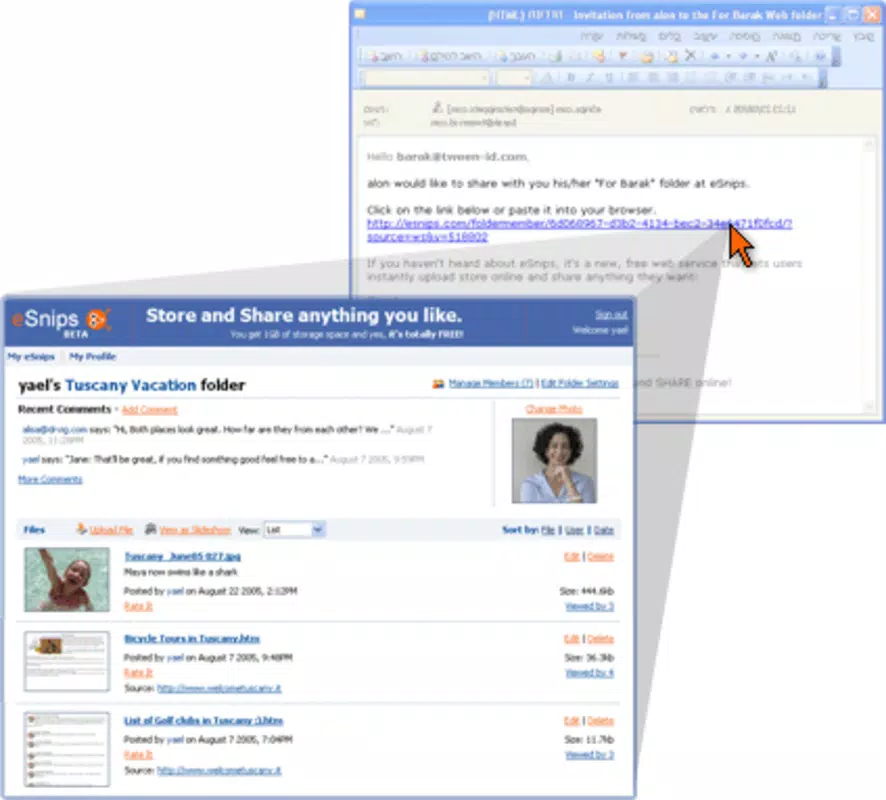
- Customizable Folders: Files can be organized into user-defined folders, enabling efficient categorization. For example, a team might create folders labeled “Q1 Reports,” “Marketing Assets,” or “Client Contracts” to streamline retrieval and reduce clutter.
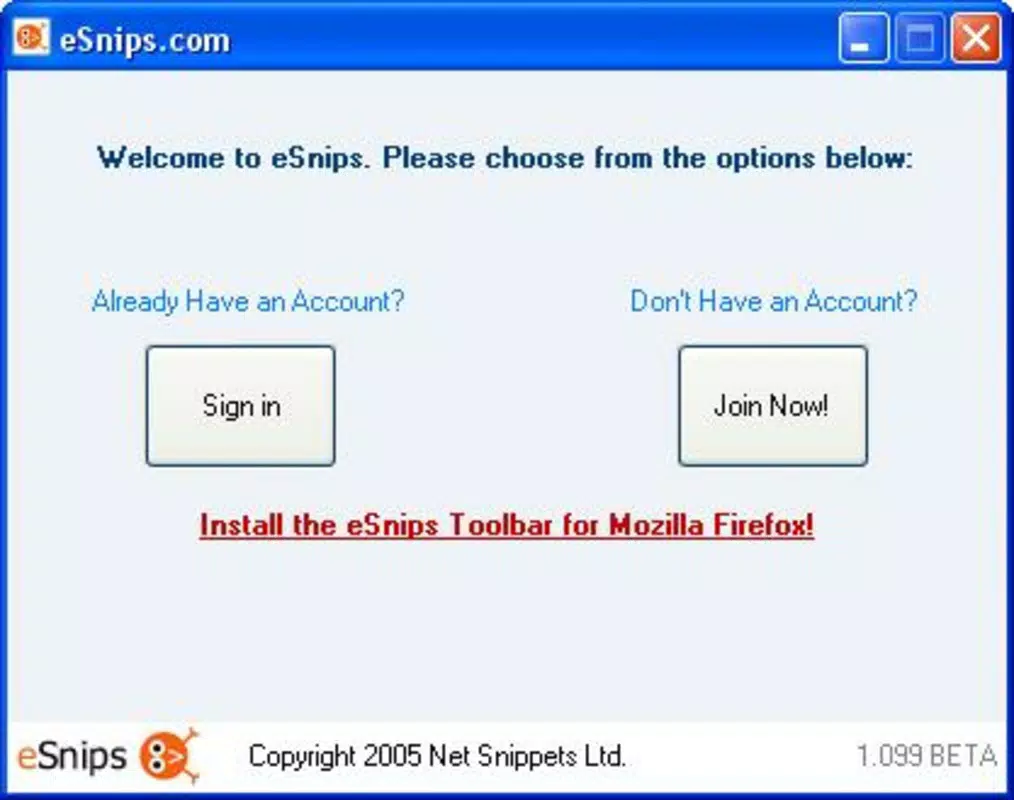
- Free Account Creation: Registration is straightforward and does not require payment, making the service accessible to a wide audience. Once signed up, users gain immediate access to storage and sharing tools without hidden fees or trial limitations.
- Time Efficiency in File Transfer: The platform accelerates the sharing process by minimizing upload wait times and enabling instant access links. This improves collaboration speed, especially in time-sensitive environments like academic research or project-based work.
These features collectively support real-world use cases such as sharing video presentations with colleagues, sending large project files to clients, or archiving academic papers. The streamlined workflow reduces friction in digital collaboration, helping users maintain momentum in their tasks.
Interface, UX & Performance
The user interface of eSnips is designed with simplicity and clarity in mind, focusing on intuitive navigation and minimalistic layout. Users are greeted with a clean dashboard that displays stored files and folders, allowing for quick access and management. The upload process is streamlined, typically involving a single click or drag-and-drop action, which reduces user effort and enhances usability.
Navigation is consistent across sessions, with clearly labeled sections for uploads, folders, and shared links. The visual style emphasizes readability and functionality, avoiding unnecessary animations or distractions. Although the developer did not list formal performance metrics, the application appears responsive during typical use, suggesting optimized handling of file transfers and interface updates.
Performance across different device categories remains consistent, as the app functions entirely through a web browser. This means it can be used on desktops, tablets, and mobile devices with varying screen sizes and processing capabilities. Responsiveness is maintained through adaptive design principles, ensuring that core functions remain accessible regardless of device type.
Stability is a notable aspect, with no reported issues related to crashes or data loss in the current testing phase. However, since the app is still in development, long-term reliability and scalability under heavy usage have not been fully validated. Users are advised to monitor updates for improvements in speed and durability.
Platform Compatibility & Technical Requirements
eSnips operates as a web-based application, meaning it is accessible through any modern web browser on a variety of platforms. The developer did not specify minimum OS requirements or supported device types, but the application is designed to function on devices with standard internet connectivity and browser support.
The file size of the application is listed as 10 MB, which reflects the core web assets required for initial loading. This lightweight footprint ensures fast startup times and minimal strain on device resources. The version number is 1.0, indicating the initial release of the platform during its testing phase.
While the app is available via web, there is no indication of native mobile app availability for Android or iOS. Users must access eSnips through a browser, which may affect the experience compared to a dedicated mobile application. Compatibility information was not fully disclosed, so users should verify functionality on their specific device and browser combination.
Pros and Cons
Pros
- Generous 1 GB file size limit for uploads and sharing
- Secure file access restricted to authorized users only
- Customizable folders for improved file organization
- Free account creation with no hidden costs
- Efficient file transfer reduces waiting time in collaboration
Cons
- Web-only access; no native mobile app available
- Developer did not provide detailed technical specifications
- Compatibility with older browsers or devices is unclear
- Performance under high concurrent usage has not been tested
- Release date suggests long history, but current development status is unclear
FAQ
Is eSnips safe to use for sharing sensitive files?
Yes, eSnips prioritizes privacy by ensuring that only authorized users can access shared files. While specific encryption details were not provided, the platform’s access control mechanism helps protect confidential content.
Can I use eSnips on my smartphone?
eSnips is accessible via web browsers on smartphones. However, there is no dedicated mobile application available at this time. Users can access the service through their device’s browser.
Is there a limit to how many files I can store?
The developer did not specify a total storage limit. Users can upload files up to 1 GB each, and organize them into customizable folders for easy management.
How do I update eSnips to the latest version?
As a web application, eSnips updates automatically when new versions are deployed. Users do not need to manually install updates; they simply access the platform through their browser.
Is eSnips available for both Android and iOS?
Currently, eSnips is a web-based service and does not have native apps for Android or iOS. It can be accessed through any browser on supported devices.
Final Thoughts
eSnips presents a promising solution for users seeking a secure, efficient, and free method of file sharing and online document management. Its focus on privacy, combined with a generous 1 GB file size limit and customizable organization, makes it a practical tool for professionals, students, and remote teams. While the lack of a native mobile app may limit convenience for some users, the web-based nature ensures broad accessibility across devices.
The platform’s streamlined interface and time-saving features enhance collaboration, reducing the delays often caused by traditional file-sharing methods. With free access and no hidden fees, eSnips lowers the barrier to entry for users who value both functionality and cost-effectiveness.
For individuals and teams looking to simplify digital file management without compromising security, eSnips offers a compelling value proposition. Its current testing phase suggests ongoing development, which may bring further improvements in the future.
Download eSnips now


